If vLLM already solved LLM serving, why did SGLang appear?

Updated on
Published on
By

Table of Content
About the author

This guide covers everything you need to add LLM Shield to an existing application: what it is, how the ‘two-call’ pattern works, the full API reference, working code in Python and Node.js, and how to configure and tune policies from the dashboard. By the end of this read you will have Shield running on a live endpoint.
Note: If you’re a Neysa Velocis customer, you’re all set! We’ve already handled the integration for you.
If you’re running an LLM in production, you probably have a system prompt and you’re relying on the model’s built-in safety training. Neither of those were designed for policy enforcement. System prompts can be leaked or bypassed. Safety training is the model vendor’s policy, not yours. And nothing gets logged.
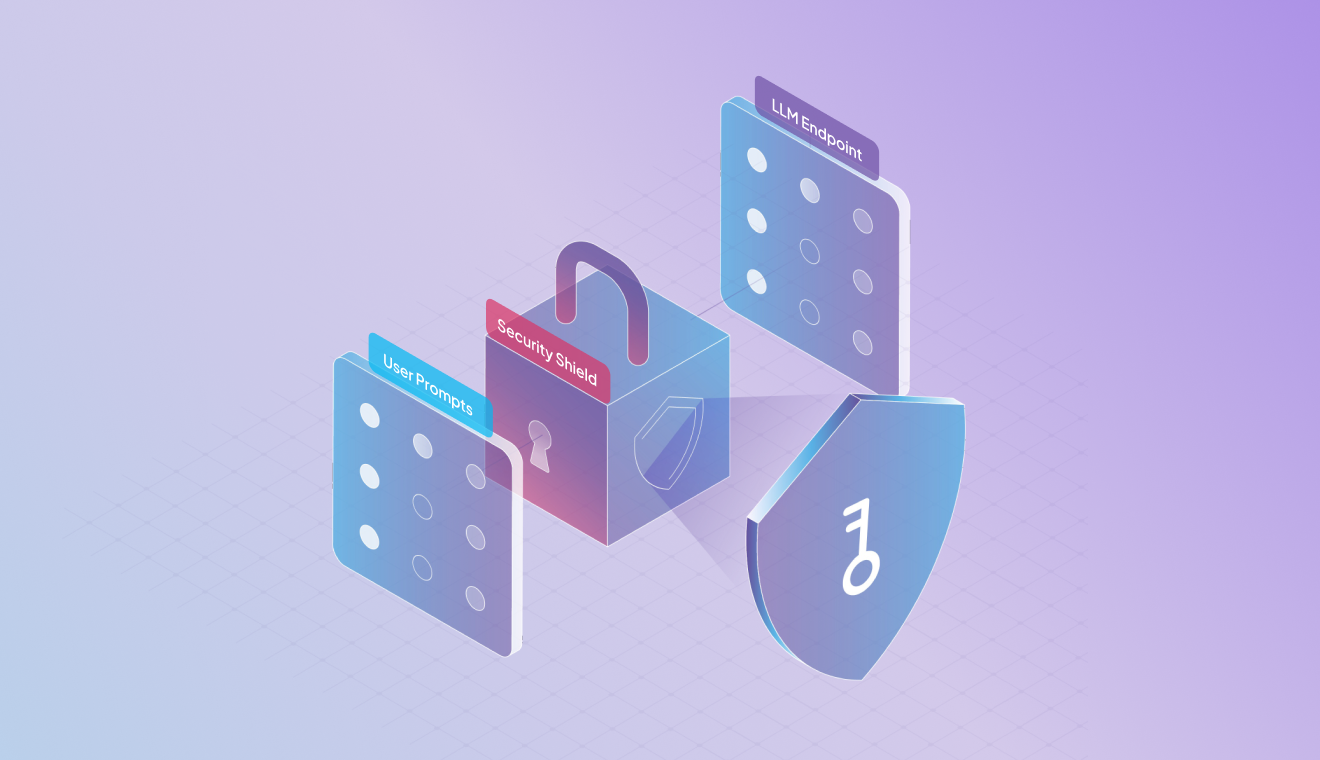
LLM Shield is a security layer that wraps your LLM calls. You call it before sending a prompt to the model, and again before returning the model’s response to the user. It blocks prompt injection, redacts PII, enforces topic boundaries, and logs every decision. It doesn’t touch your model or your infrastructure. And this works with any model on any cloud. Get the product overview here.
Before you begin your journey with the LLM Shield, you need three things from the Aegis dashboard to make any API calls:
i. Access token: Authenticates every request. Goes in the Authorization – Bearer <token> header. Keep it server-side.
ii. Instance ID: An instance is a configured deployment of LLM Shield. It stores your policies – which filters are active, at what sensitivity, which topics are allowed, what to return when something gets blocked. When you create an instance in the dashboard, you get an instance Id. You pass this on every call. You can run one instance across multiple apps, or create separate instances if you need different policies per app (stricter for customer-facing, looser for internal).
iii. User group: lets you segment enforcement within one instance. Different user groups can have different rate limits, topic scope, or PII rules. If you don’t need segmentation, pass “default”.
Two extra API calls in your existing LLM flow. That’s it.


Note: Aegis does not proxy your LLM call. It evaluates and returns a verdict. Your application handles what to do with it.
Single endpoint for both input and output:
POST: https://aegis.neysa.io/api/external/v2/aegisfilters
| Field | Required | Notes |
| instanceId | Yes | Which policy set to apply |
| userGroup | Yes | Which group rules to apply. Use “default” if not segmenting |
| prompt | One or the other | Pass this for input filtering |
| response | One or the other | Pass this for output filtering |
Never pass both prompt and response in the same request.
Before calling the model:

Before returning to the user:

Aegis runs multiple filters in parallel. Each one reports its own verdict independently.

Filter prefixes:
| Prefix | Filter | Catches |
| pif_ | Prompt injection | Jailbreaks, instruction overrides, system prompt extraction |
| txg_ | Toxicity / content | Harmful, abusive, or policy-violating language |
| pii_ | PII | SSNs, Aadhaar, IBANs, health data, financial identifiers |
Each filter returns three fields: _api_action (what to do), _response_message (what to show the user on a block), _intensity (confidence level).
Verdicts:
| Value | What it means |
| ALLOW | Clean. Continue. |
| BLOCK | Policy violation. Stop. Return _response_message to the user. |
| REDACT | PII detected. pii_redacted_text has the sanitized version. Use that. |
| TAG | Flagged but not blocked. Log it, proceed. |
Precedence when multiple filters fire:
BLOCK > REDACT > TAG > ALLOW
If any filter returns BLOCK, block. If no BLOCK but a REDACT, use the redacted text. If only TAG, log and continue.
On REDACT: pii_redacted_text contains the original input with sensitive values swapped for placeholders like [REDACTED-SSN]. Pass that to your model instead of the raw input. Same logic applies to output: show the user the redacted text, not the original model response.
import requests


On prompt:
On response:
Every decision is logged with a filter name, confidence level, and a verdict. PII is masked in logs by default. Each request returns a trackingId so you can trace any decision back to a specific interaction.
Protect LLMs against prompt injection, unsafe outputs, and data leakage.

Policies are set in the Aegis dashboard, not in code. Set them once per instance; they apply to every API call using that instanceId.
Per instance, you configure:
Changes take effect immediately on the next request.
Check _intensity when a filter fires unexpectedly:
Adjust sensitivity per filter from the dashboard. No redeploy.
Request access at neysa.ai/aegis-llm-shield. The self-guided setup covers instance creation, policy config, and live endpoint testing. Takes under ten minutes.
Deploy, run, train, fine-tune and serve all open-source models. Scale with confidence.
Enterprise AI enables organisations to deploy and scale AI across operations, from customer experience to risk management. Success depends on connected infrastructure, governance, and workflows. Neysa’s AI Platform as a Service act as a ready workshop, letting teams assemble compute, storage, orchestration, and monitoring without bottlenecks, ensuring reliable, enterprise-wide AI adoption.

Cloud platforms have reshaped AI training—from costly GPU clusters to on-demand, pay-as-you-go infrastructure. With providers like AWS, Google Cloud, Azure, and specialised AI clouds like Neysa Velocis, organisations now scale faster, cut costs, and collaborate globally. From healthcare to manufacturing, cloud AI training is unlocking breakthroughs that were once impossible.
The emergence of vLLM improved GPU utilization for AI model serving, addressing issues like memory fragmentation. However, as workloads evolved towards complex multi-turn interactions, SGLang was developed to optimize prefix caching, reducing unnecessary computations. This ensures higher efficiency, lower latency, and reliable structured outputs such as JSON, enhancing modern AI applications.